



Download Petal Search – Petal Search APK, Huawei Search, search engine for Huawei devices
Overview
Petal Search is a dedicated search engine developed by Huawei Software Technologies Co., Ltd. for users of Huawei devices. Designed as a core utility for the Android ecosystem, it serves as both a general search tool and a discovery platform for mobile applications. The software enables users to search for websites, news, images, and videos, delivering results similar to mainstream search engines. In addition, it provides direct access to apps available through the AppGallery, with an emphasis on local popularity and regional relevance.
One of its primary functions is to help users discover apps that may not yet be listed in the AppGallery. By leveraging web-based search capabilities, Petal Search allows users to locate and install applications from official websites or trusted third-party platforms. This functionality is especially valuable in regions where app availability may be limited or delayed. The app is tailored specifically for Huawei device owners, offering optimized performance and seamless integration with the device’s native ecosystem.
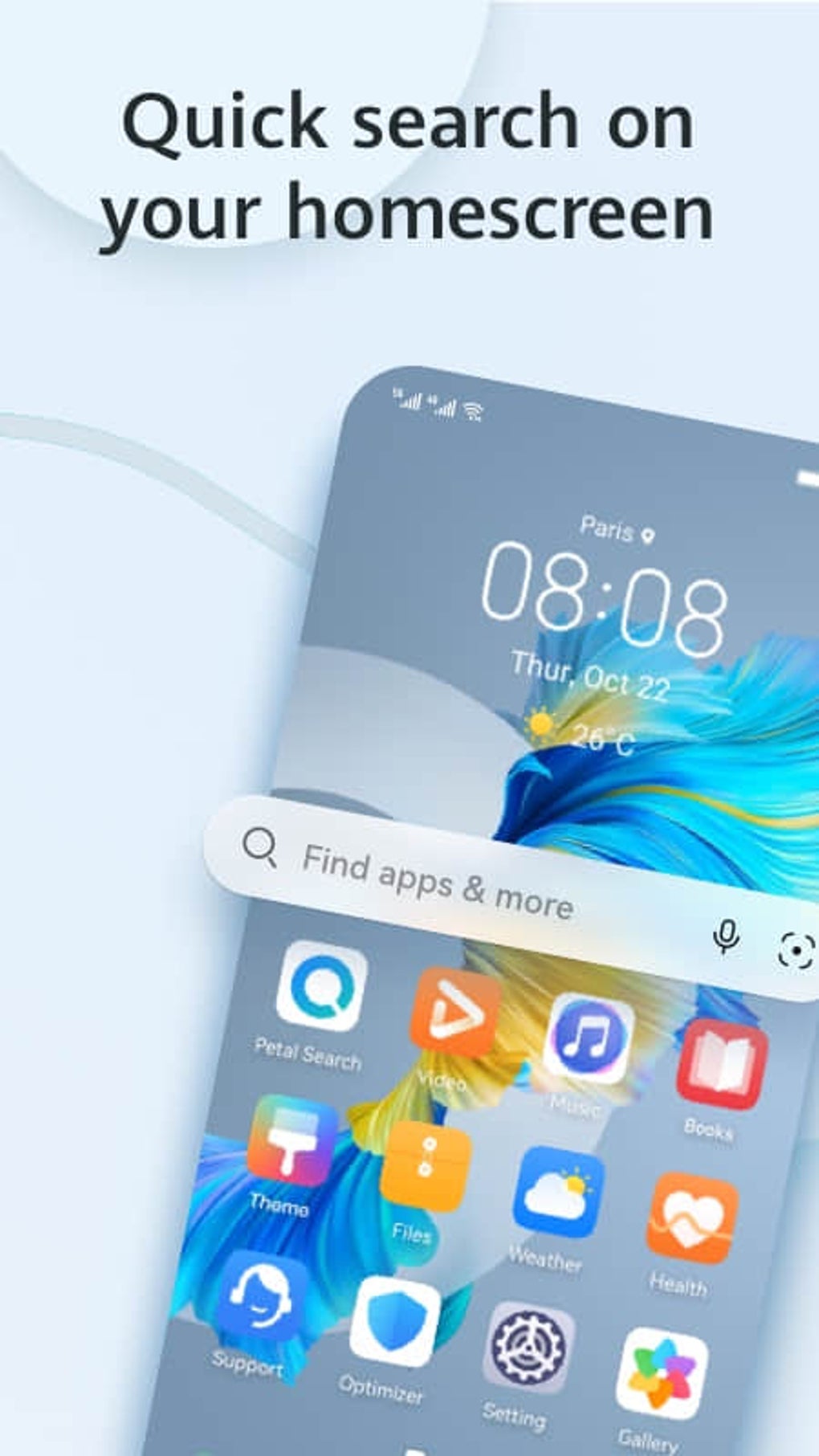
Users can access Petal Search through the main interface or via a customizable home screen widget. The tool supports both automatic suggestions and manual search inputs, making it accessible for users of varying technical skill levels. While the developer did not provide additional details about specific use cases, its design suggests utility for consumers seeking alternatives to Google Search and developers testing app distribution paths.
Key Features & Capabilities
- Web Search Functionality – Allows users to perform standard searches across the internet, retrieving results for websites, news, images, and videos, similar to major search engines.
- App Discovery & Installation – Offers a dedicated section for top local apps available in AppGallery, with one-tap install options that redirect users to the AppGallery.
- Manual App Search – Enables users to search for apps not yet in AppGallery by using web-based queries and installing from official or third-party sources like Apkpure and Aptoide.
- Home Screen Widget – Supports adding a Petal Search widget directly to the home screen for instant access without opening the app.
- Localized App Recommendations – Displays region-specific popular apps, improving relevance for users in different countries.
These features collectively enhance the user experience by streamlining access to digital content and applications. For instance, a user in Southeast Asia can quickly find and install a trending local productivity app via the “Top Local Apps” section. Similarly, someone seeking a niche tool not yet available in AppGallery can use the manual search to locate and download it from a trusted source. The integration of web search with app installation creates a unified workflow, reducing friction between discovery and deployment.
User Interface, Workflow & Performance
The user interface of Petal Search is clean and minimal, centered around a prominent search bar at the top of the screen. Below it, users are presented with a “Top Local Apps” section, displaying relevant applications based on regional popularity. The layout prioritizes accessibility, with clear visual cues and straightforward navigation.
Workflow efficiency is enhanced by the dual-search model: users can either tap the search bar to initiate a query or browse suggested apps. The one-tap install feature simplifies the process of downloading apps from AppGallery, while the manual search function routes users to external websites for file downloads. The developer did not specify resource usage details, and no performance benchmarks were provided.
General observations suggest that the app operates smoothly on supported devices, with typical responsiveness expected from lightweight Android applications. Stability appears consistent, though exact behavior under heavy usage or on older hardware remains unconfirmed. The app’s lightweight size of 20.3 MB indicates efficient memory management, which contributes to minimal impact on system performance.
Compatibility & System Requirements
Petal Search is designed for Android devices and is compatible with systems running Android 6.0 and above, though specific version compatibility was not detailed in the provided information. The application has a file size of 20.3 MB, indicating it is optimized for storage efficiency.
Exact system requirements were not listed, including minimum RAM, CPU specifications, or storage space beyond the app size. Hardware compatibility details were not provided. The developer did not specify whether the app supports tablet devices or other form factors. Platform compatibility information is limited to Android, with no indication of support for other operating systems.
Pros and Cons
Pros
- Free to download and use with no in-app purchases
- Lightweight at only 20.3 MB in size
- Integrated with AppGallery for quick app installation
- Offers localized app recommendations based on regional trends
- Supports home screen widget for direct access
- Functions as both a search engine and app discovery tool
Cons
- Manual app installation requires users to navigate external websites
- Exact system requirements and hardware compatibility were not specified
- Performance under heavy load or on older devices was not documented
- Limited to Android platform; no support for iOS or other OS
- Dependent on third-party app sources for apps not in AppGallery
FAQ Section
Is Petal Search available for iOS devices?
Petal Search is designed exclusively for Android devices. There is no official version available for iOS or other operating systems.
Can I use Petal Search without an internet connection?
Basic search functionality requires an active internet connection. Offline use is not supported, as the app relies on web-based queries and external app sources.
Is Petal Search safe to download and install?
As a tool developed by Huawei Software Technologies Co., Ltd., Petal Search is distributed through official channels. Users should download it from trusted sources to ensure security.
How often does Petal Search receive updates?
Update frequency is determined by the developer. The current version is 1.2.2, released on May 15, 2023. Users are encouraged to keep the app updated for optimal performance.
Does Petal Search collect user data?
The developer did not provide specific details about data collection practices. Users should review the privacy policy available within the app or on official Huawei channels for more information.
Final Thoughts
Petal Search represents a significant step in Huawei’s strategy to build an independent digital ecosystem. As a free, lightweight tool, it combines general web search with targeted app discovery, making it a valuable utility for Huawei device owners. Its integration with AppGallery and support for local app recommendations enhance its relevance in diverse markets.
While it currently depends on third-party sources for some app installations, its dual functionality as a search engine and app finder sets it apart from conventional tools. The ability to add a home screen widget improves accessibility, and the clean interface ensures a smooth user experience.
For users seeking a secure, fast, and optimized search solution tailored to Huawei hardware, Petal Search offers a compelling alternative. It is particularly beneficial for those who value app discovery and want to explore content beyond the AppGallery.
Download Petal Search now





.png)

